MEMORYA
My role
UX/UI and product design, capsule illustrations, design system, developer handoff
Team
Built by a small team. I lead the design, and I commit fixes to the Swift code myself.
Timeline
1.0: Apple Developer Academy, 2023–2024
2.0: redesigned October 2026
Status
2.0 is rebuilt in SwiftUI and in device testing before the App Store update
THE JOY OF
WAITING TO DEVELOP
A ROLL OF FILM.
Digital photography made memories instant, and that ease made them feel disposable.
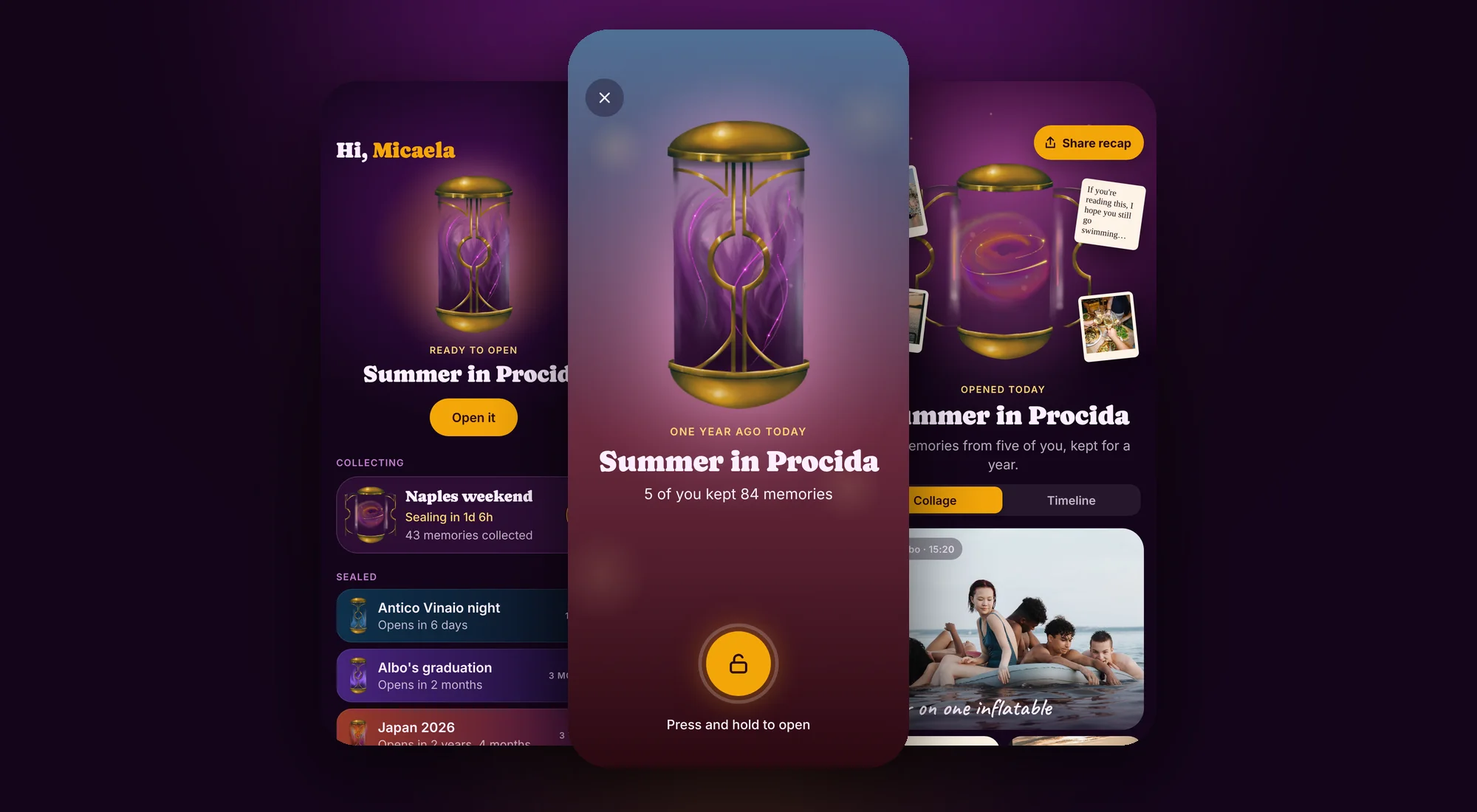
Memorya brings back the anticipation of analog film. You and your friends keep memories in a capsule, it seals, and you only see them again when the time you chose has passed, all on the same day. Waiting is what makes opening it feel special.
See it on the App StoreWHERE IT
STARTED.
The first Memorya was born at the Apple Developer Academy in Naples: create a capsule, fill it with photos, voice notes and messages, seal it, open it on the chosen date. It won "081 Naples Calls for Ideas", a Naples contest for young people’s startup ideas, and shipped on the App Store.
Two years later I redesigned it from scratch. I kept what made it Memorya (the purple and gold mood, the type and the capsule I illustrated) and rethought how it works around one idea: a capsule is something you fill together.
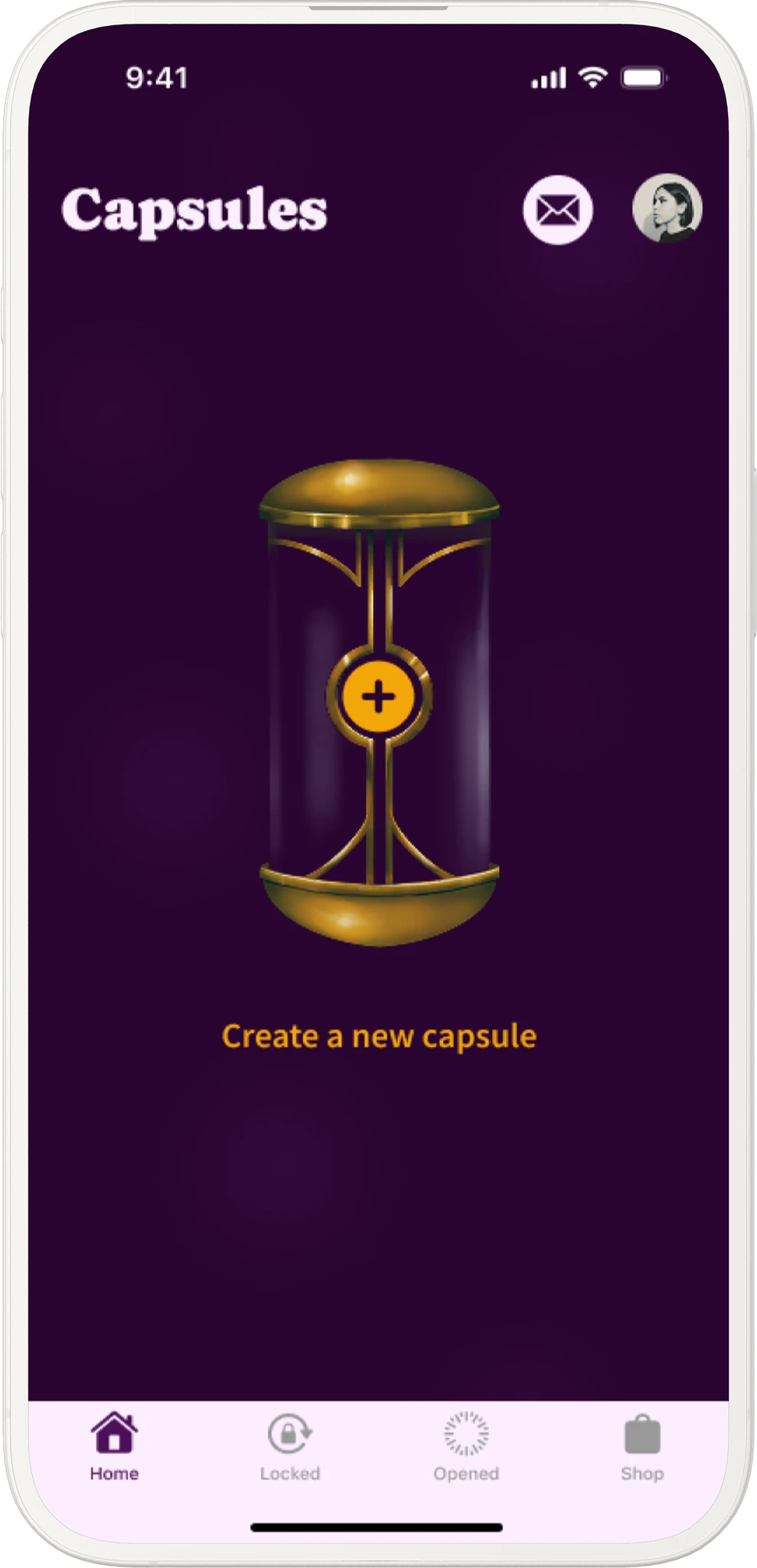
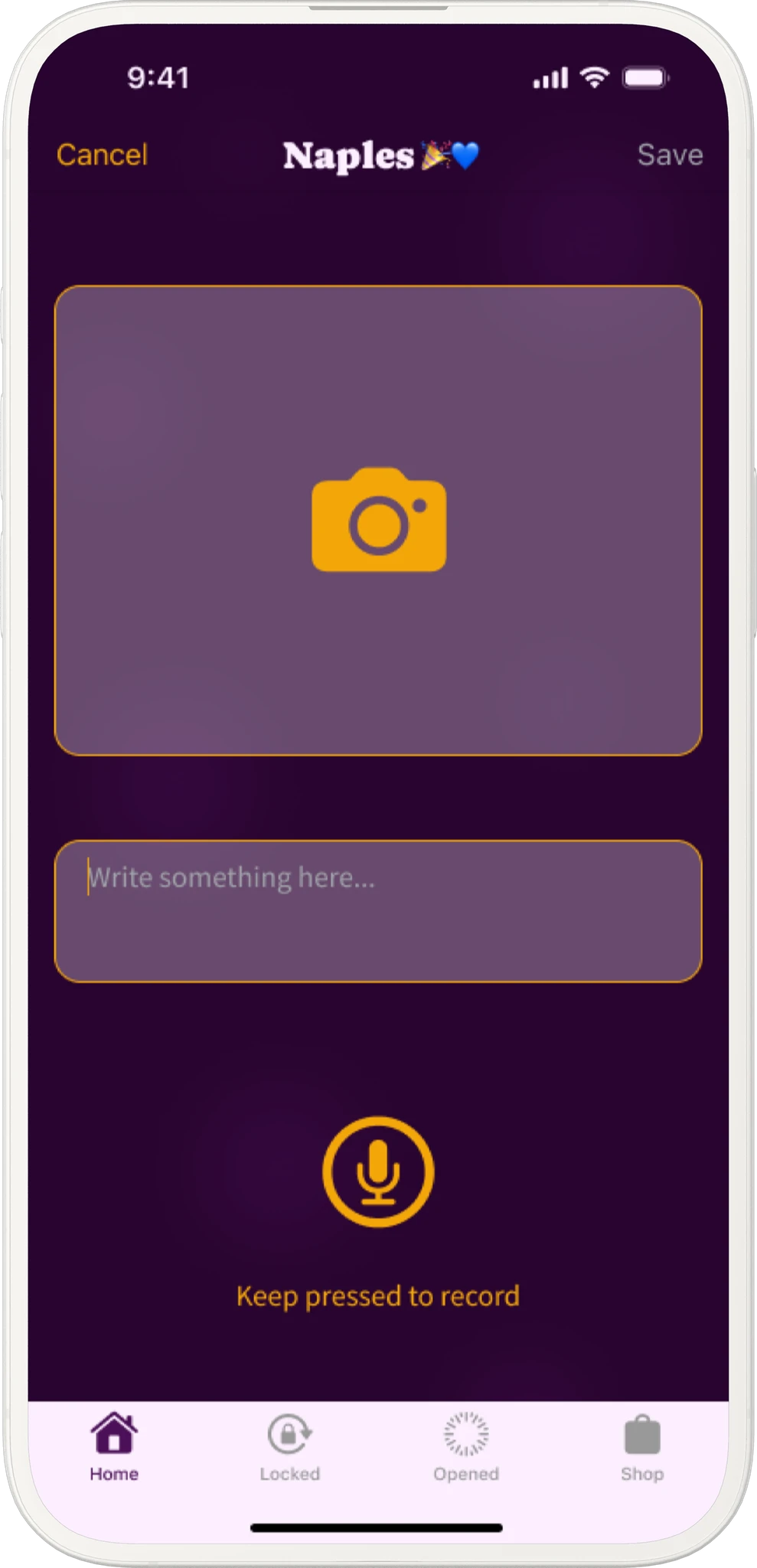
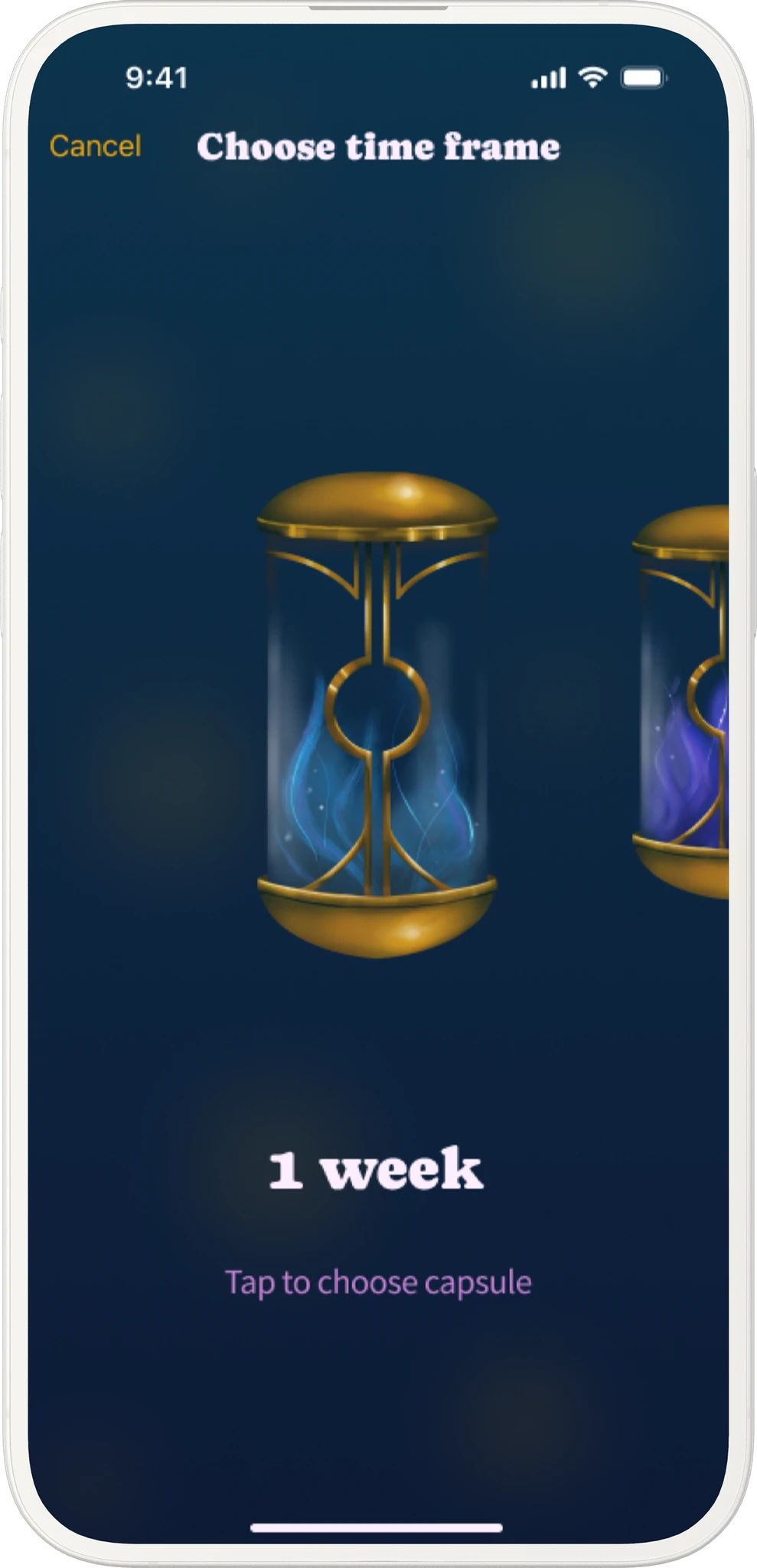
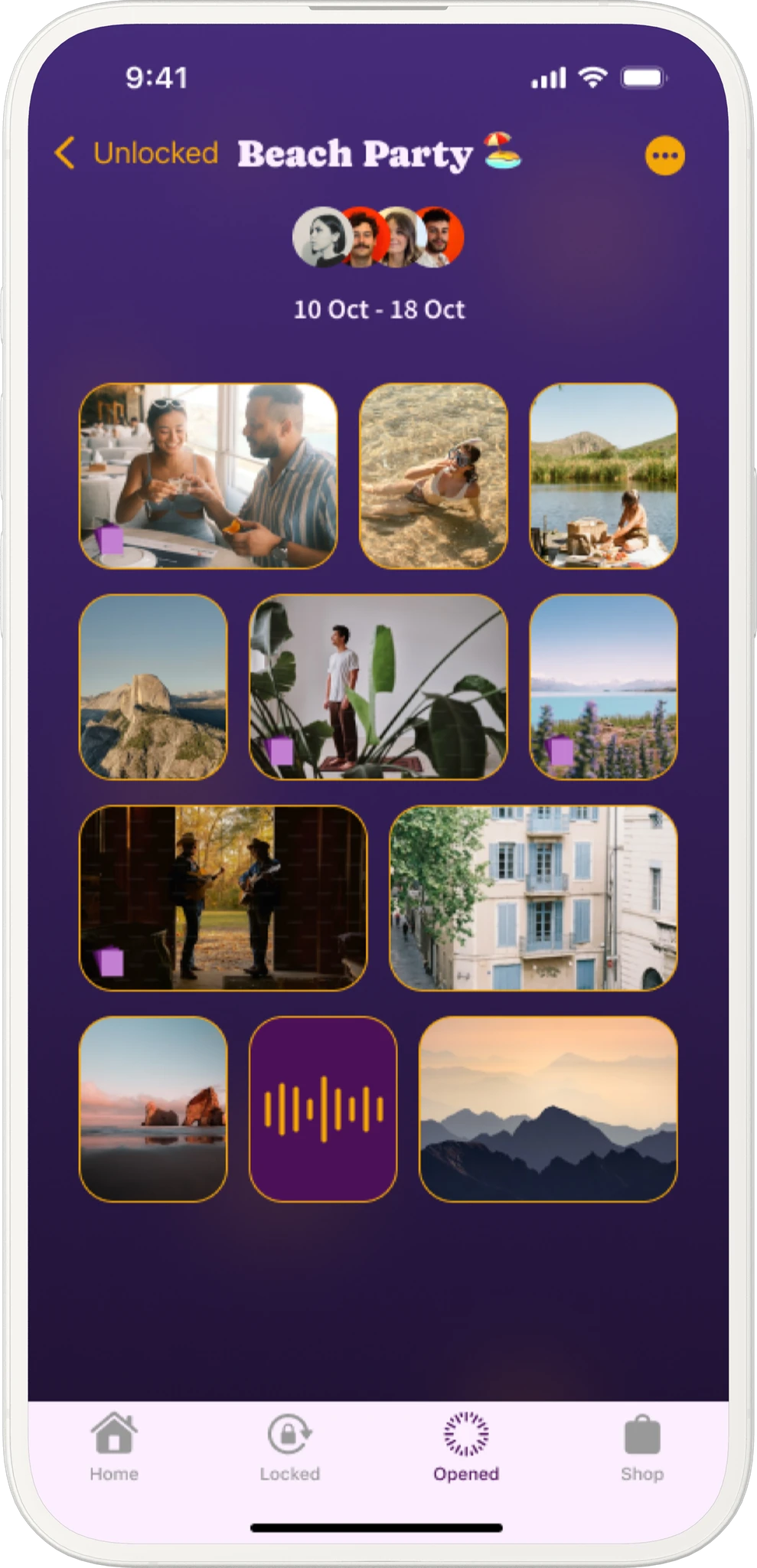
Memorya 1.0 · create, fill, seal, revisit
ONE LIFECYCLE.
NO PEEKING.
Before drawing a single screen, I wrote the product rules down. Every flow had to respect them, and they became the first page of the spec handed to development.
01
Collecting
Members add memories. They can see who added one and when, but never what.
02
Sealed
Nothing can be added. A countdown runs to the opening date.
03
Ready
The day has come. The capsule waits for everyone to open it.
04
Opened
After the ceremony, everything is visible to every member, forever.
RuleContents stay hidden until the capsule opens, everywhere: widgets, Lock Screen, notifications and share cards.
Time has a colour.
A capsule can last one week, one month, three months, one year or three years, and each duration has its own colour world and capsule illustration. On Home you can read how far away each opening is before reading a word: the teal week, the deep red three years.
- Creating a capsule takes three steps: name, who's in (just me, with others, as a gift) and time. Time is a sentence you complete: "Collect memories for 3 days and open them in 1 year."
- Home puts the capsule that's ready to open first, then what you're collecting, then what's sealed.
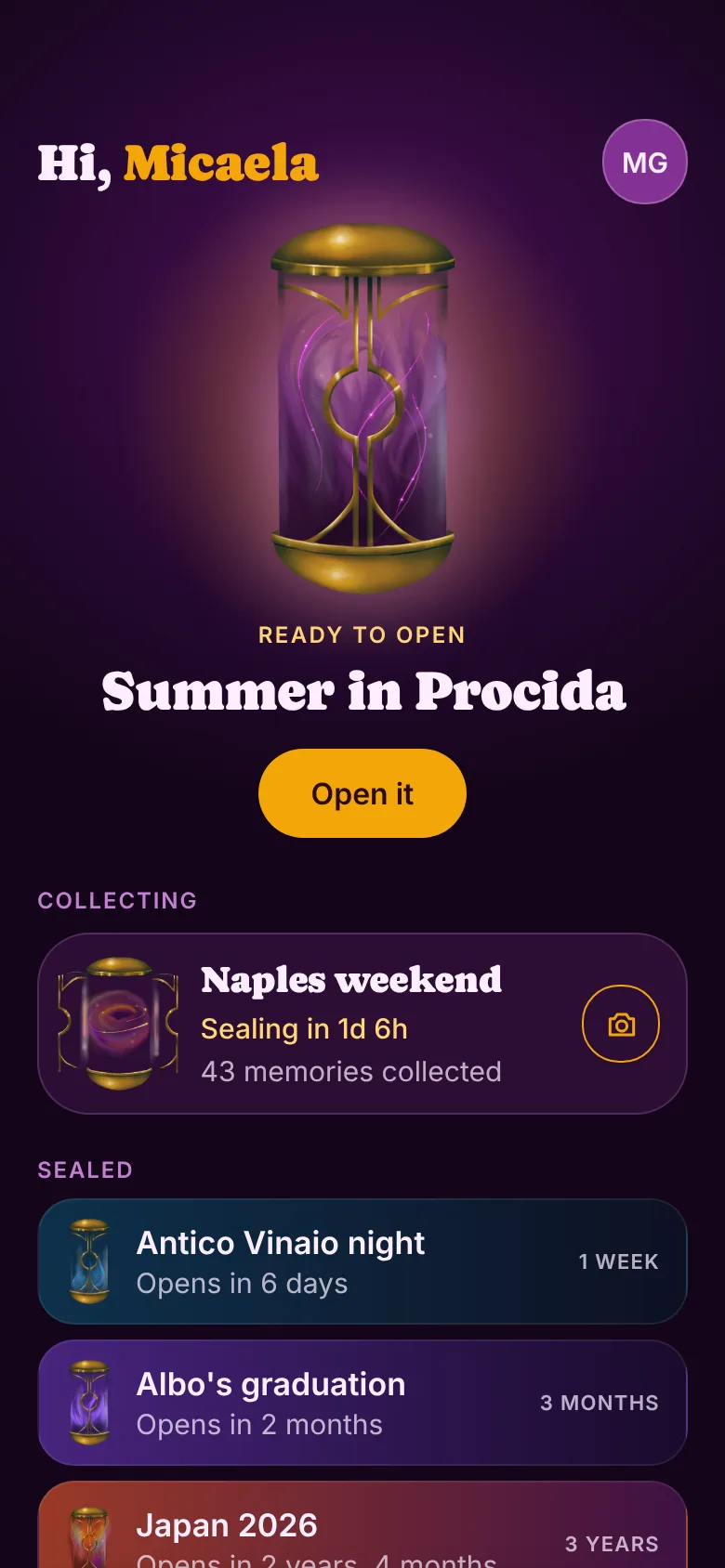
Home
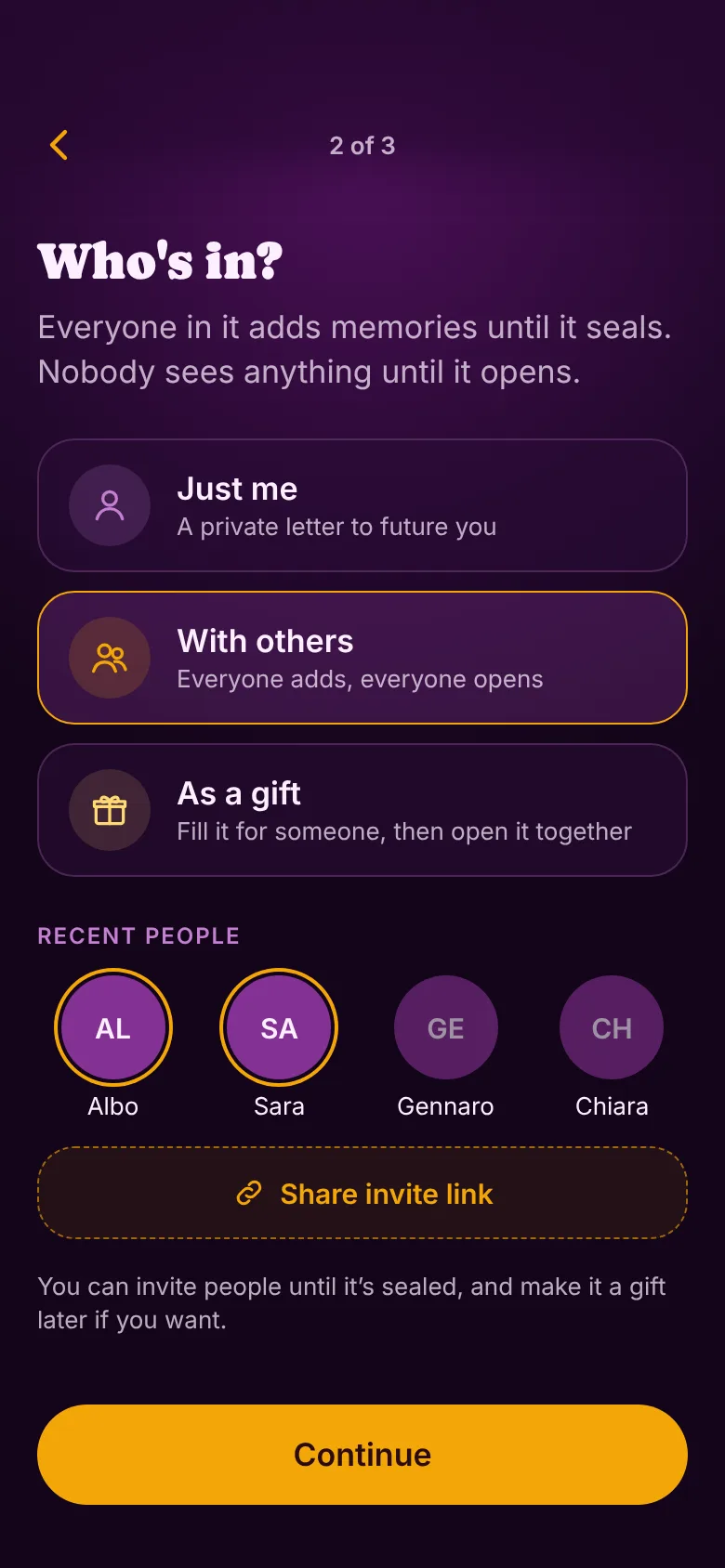
Create 2 · Who's in
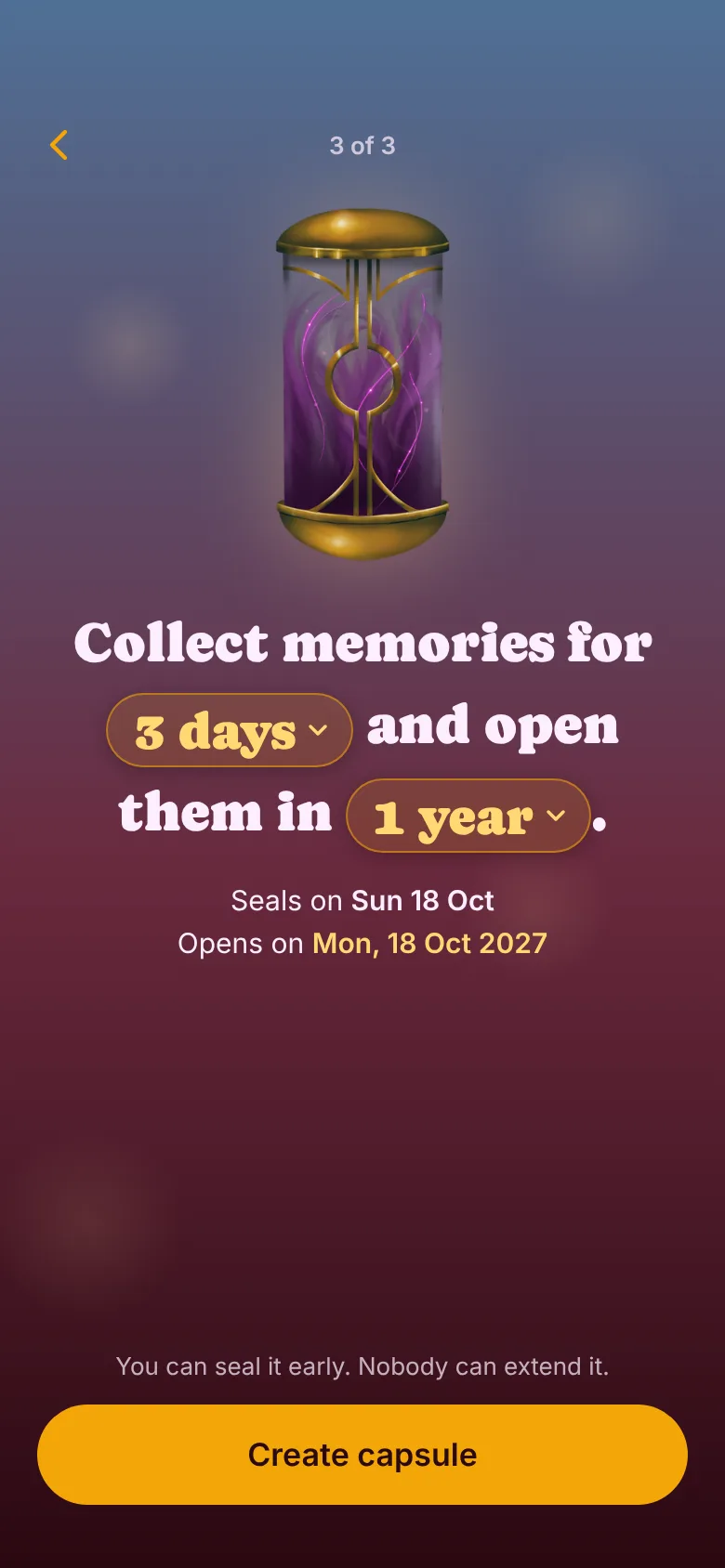
Create 3 · Time, as a sentence
Hidden, but alive.
A capsule you can't look into risks feeling empty. So the detail screen shows a timeline of everyone's memories as blurred tiles. You can see who added one and when, and the line lights up like a fuse as you scroll. You feel it filling without ever seeing what's inside.
- The same privacy holds outside the app. A capsule can hide its name on the Lock Screen and in widgets, showing just "A capsule", and gifts turn this on by default so surprises don't slip.
- Live Activities count down the last hours before sealing, and the Lock Screen camera lets you add a memory without unlocking the phone.
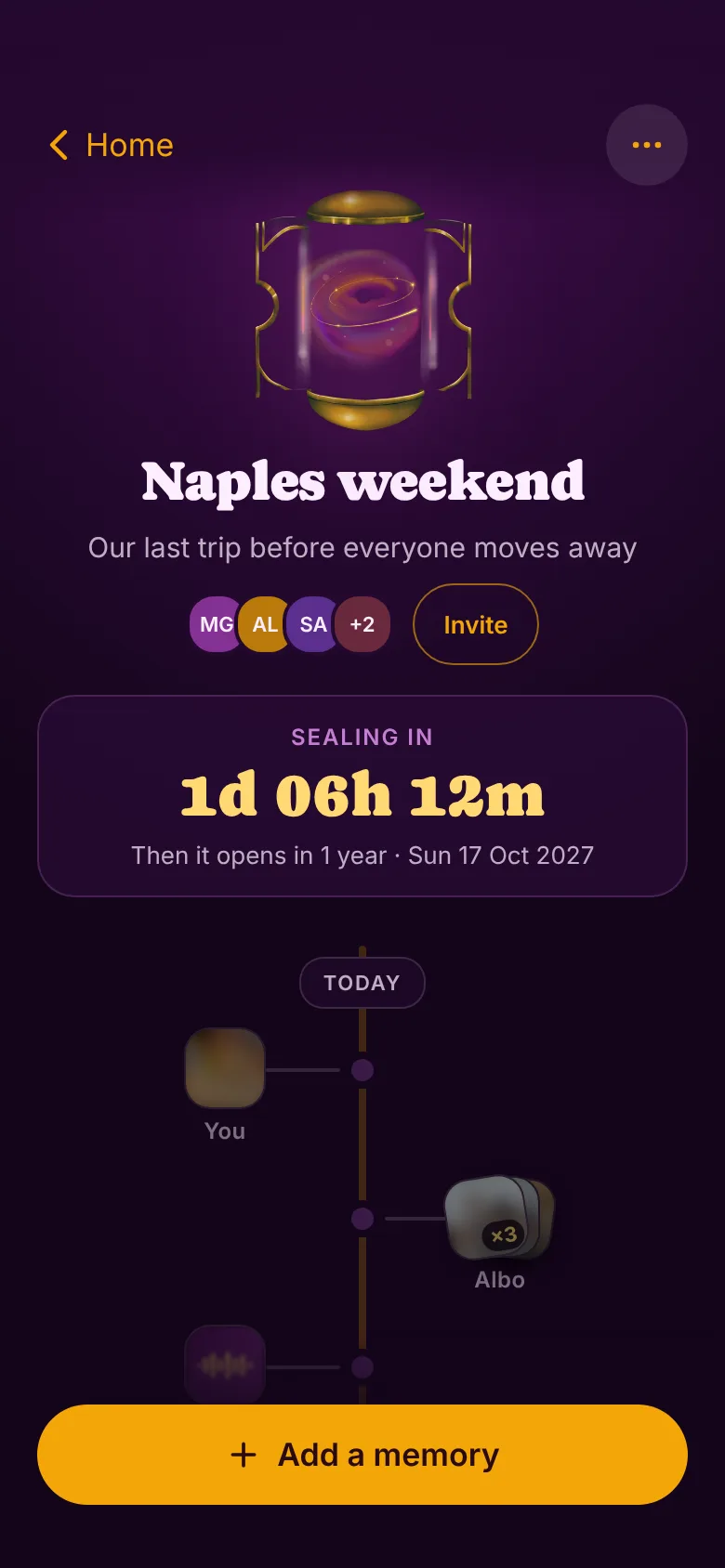
Collecting · who and when, never what
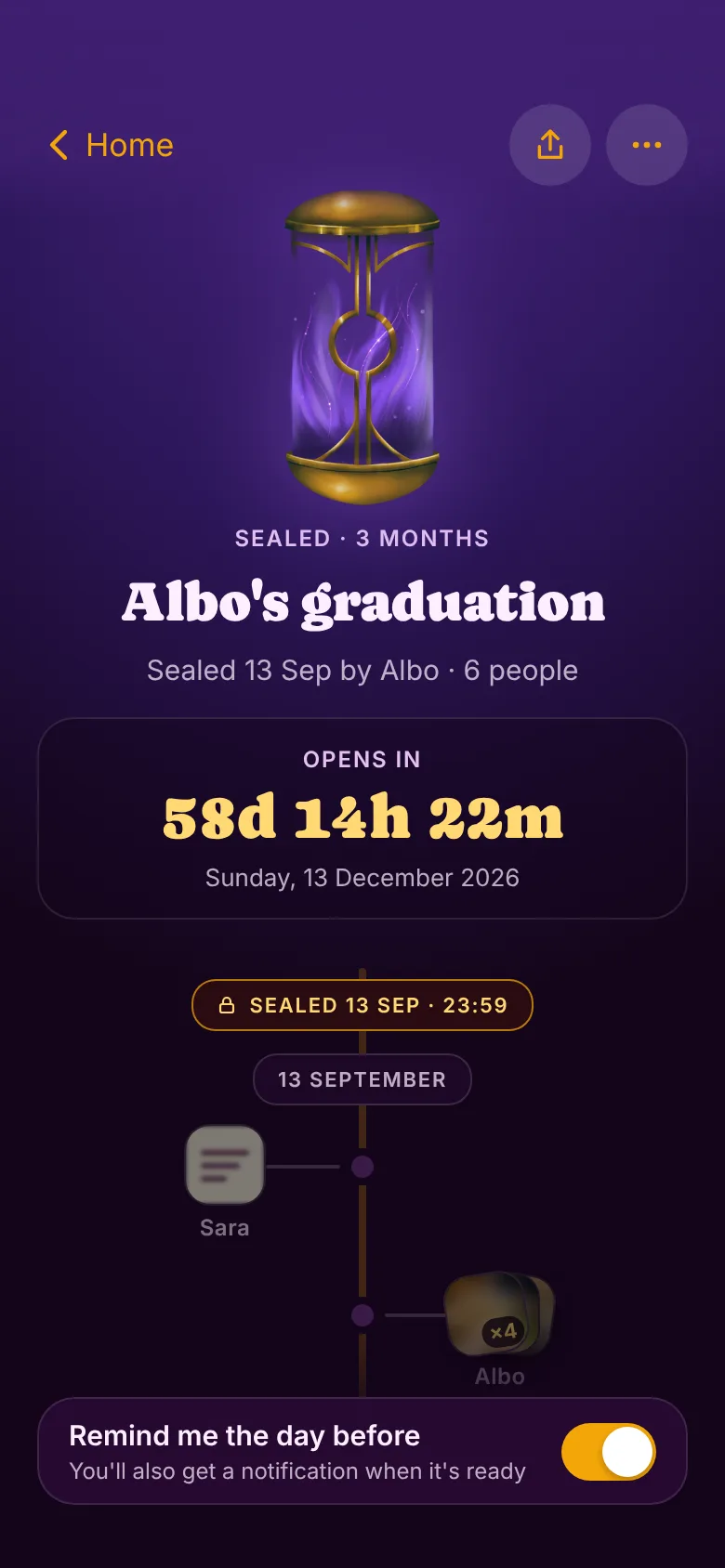
Sealed · countdown to opening
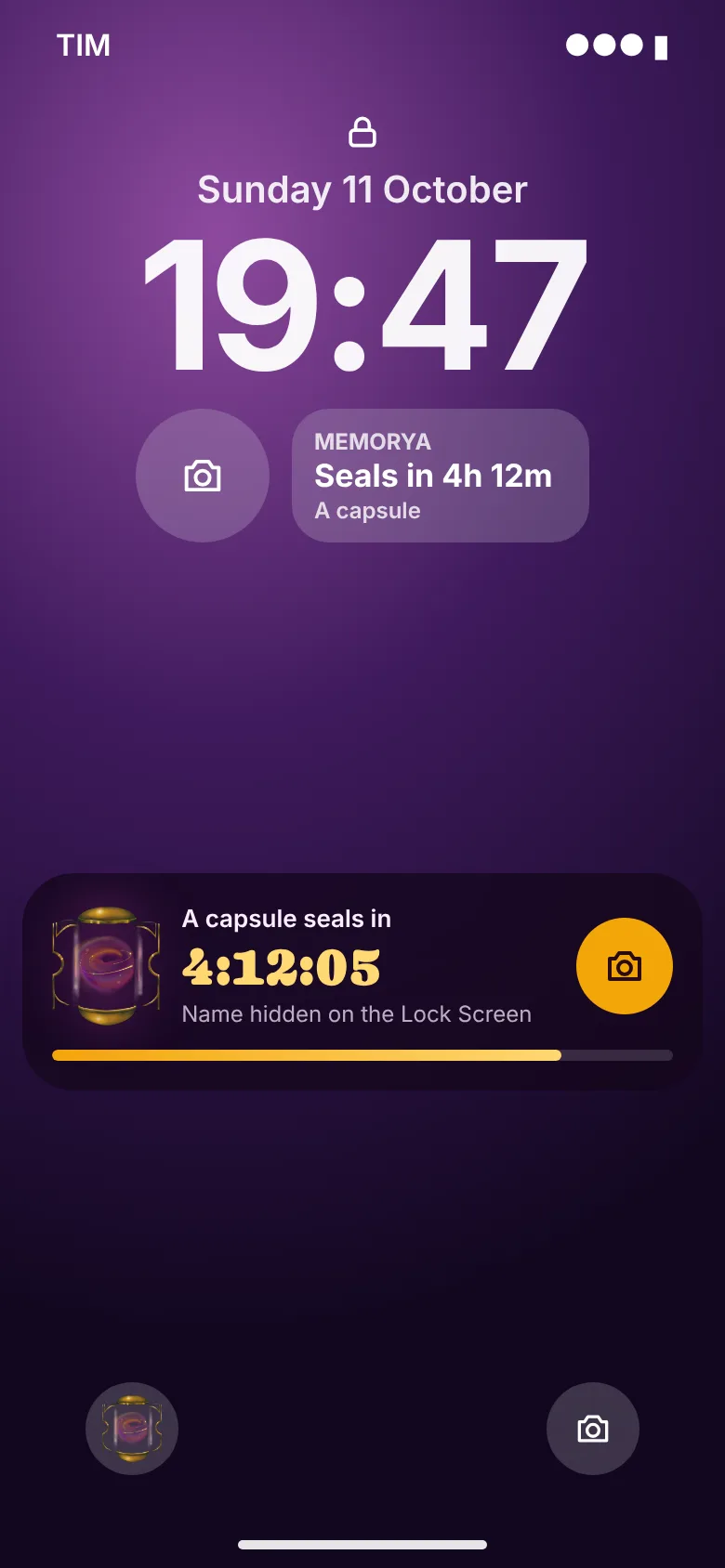
Lock Screen · name hidden for surprises
One memory, three ways in.
Early drafts split capture into separate photo, voice and note modes. In the final design everything you keep is just a memory. You can start from the camera, from Write or from Speak, and all three lead to the same "New memory" screen. There you can combine photos with captions, a note, a song and up to 30 seconds of voice.
- Photos come from the camera only, never the library: a memory is something you live now, not something you curate later. The one exception is the optional cover photo, because it's decoration, not a memory.
- After "Keep it" you go back to where you started, ready for another. A note-writer never lands on the camera.
- Edge cases are designed too: camera or mic permission off, music not connected, kept while offline, the capsule sealing while you're still writing.
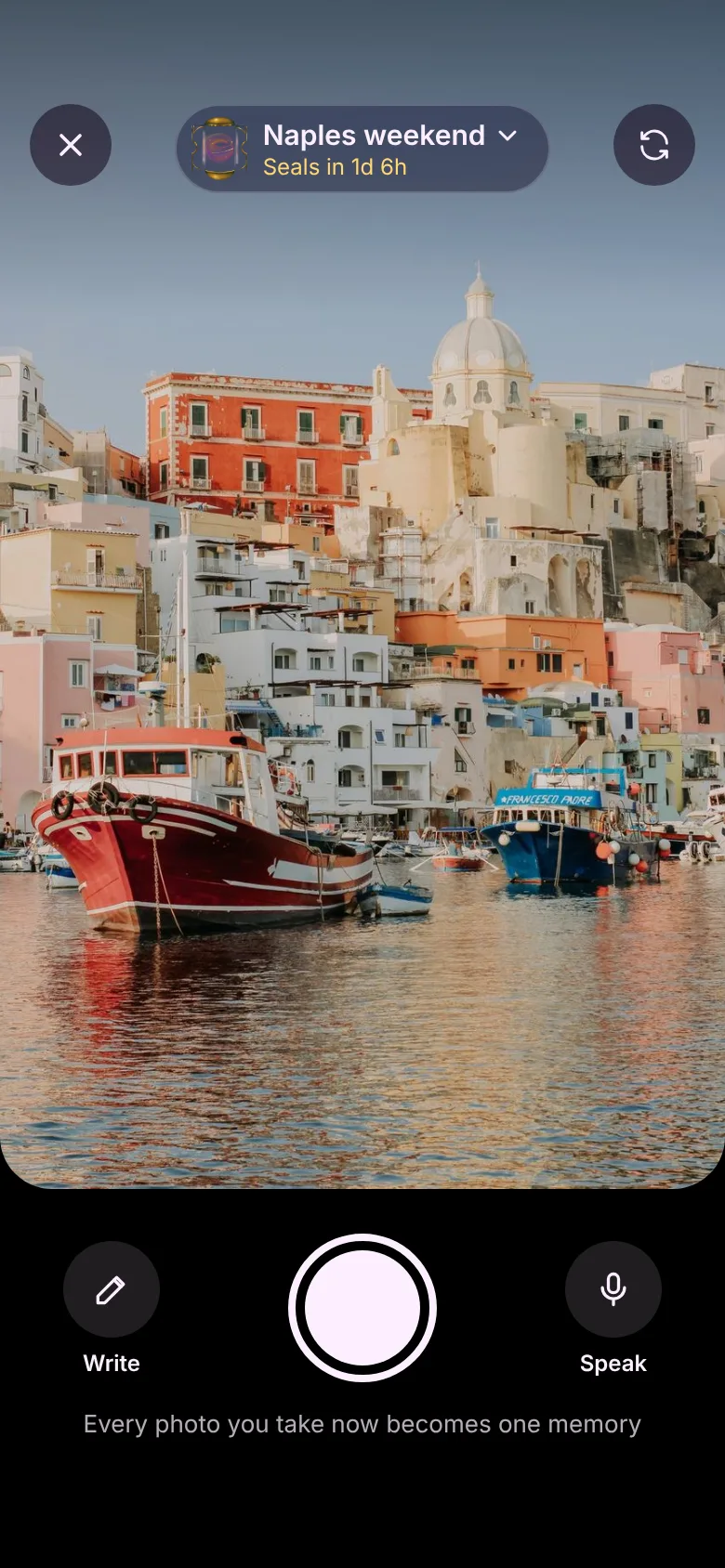
Camera · Write · Speak
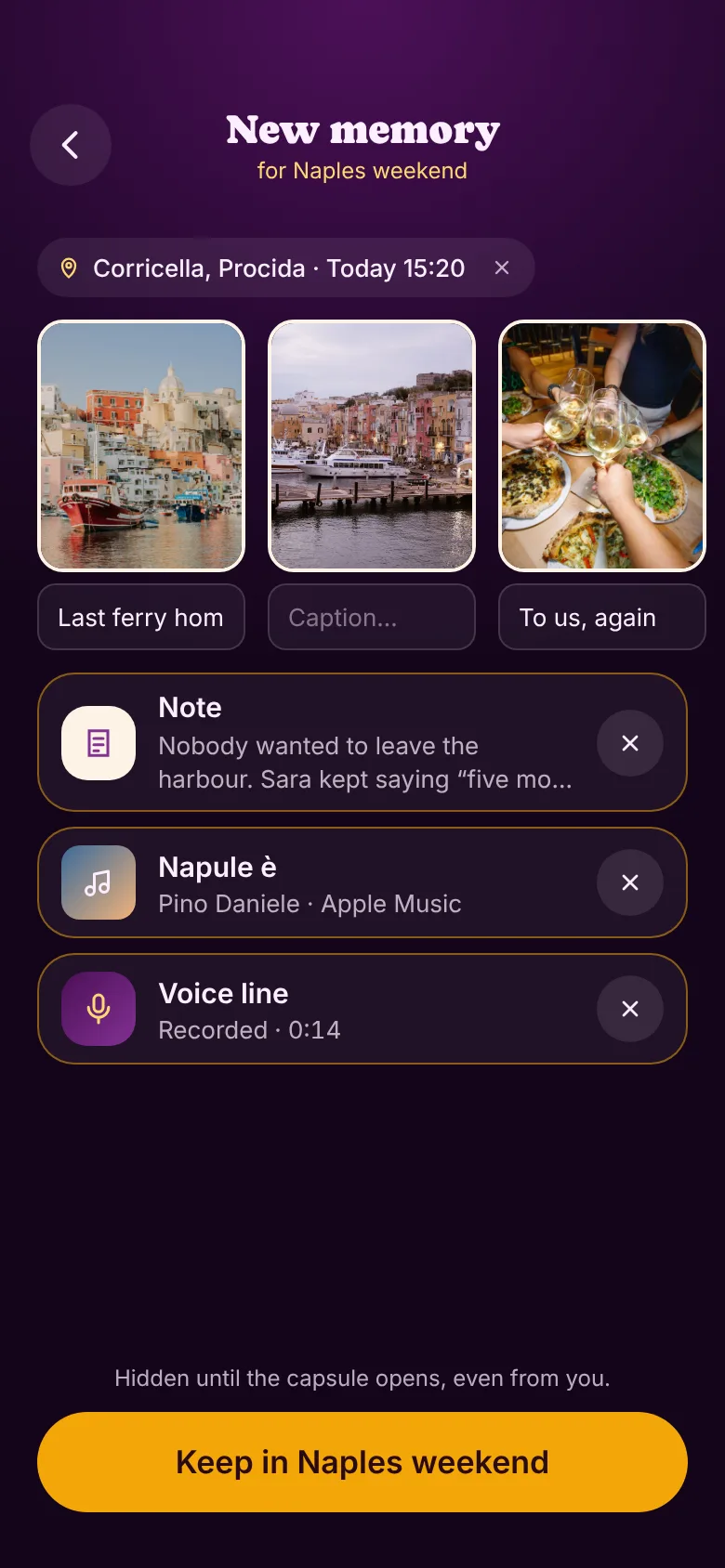
One memory, everything in
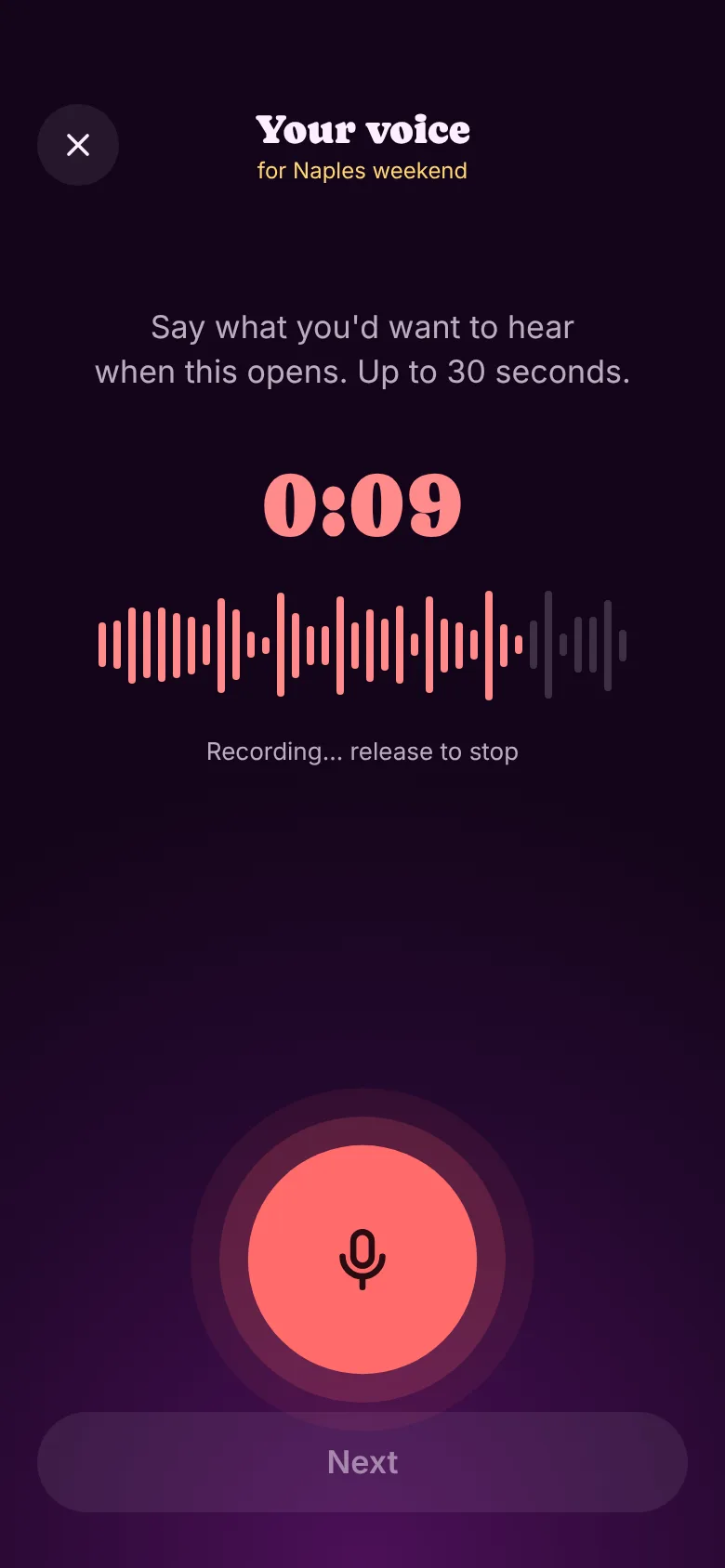
Speak · up to 30 s
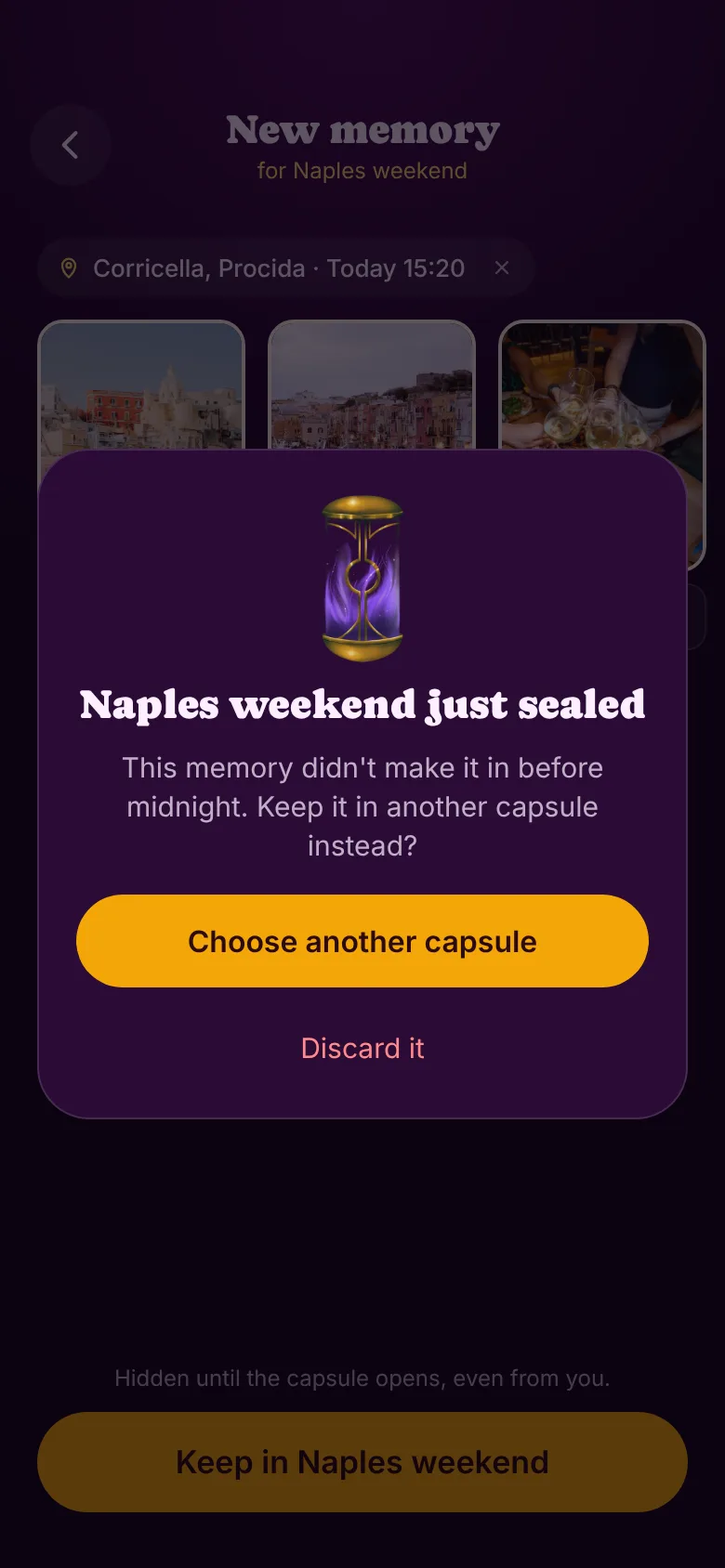
Edge case · sealed while writing
Opening it is a ceremony.
The whole app builds towards one moment, so it gets a ritual. You press and hold to open, and the capsule reveals one memory at a time: a note from your past self, a voice line, a photo from a friend. Afterwards everything lands in a collage or a timeline, and the Archive keeps opened capsules by season, in the order you lived them.
- Hold to open, not tap: the opening should feel deliberate. VoiceOver gets an equivalent action.
- Memories from someone who left the capsule still appear, signed "Someone who left".
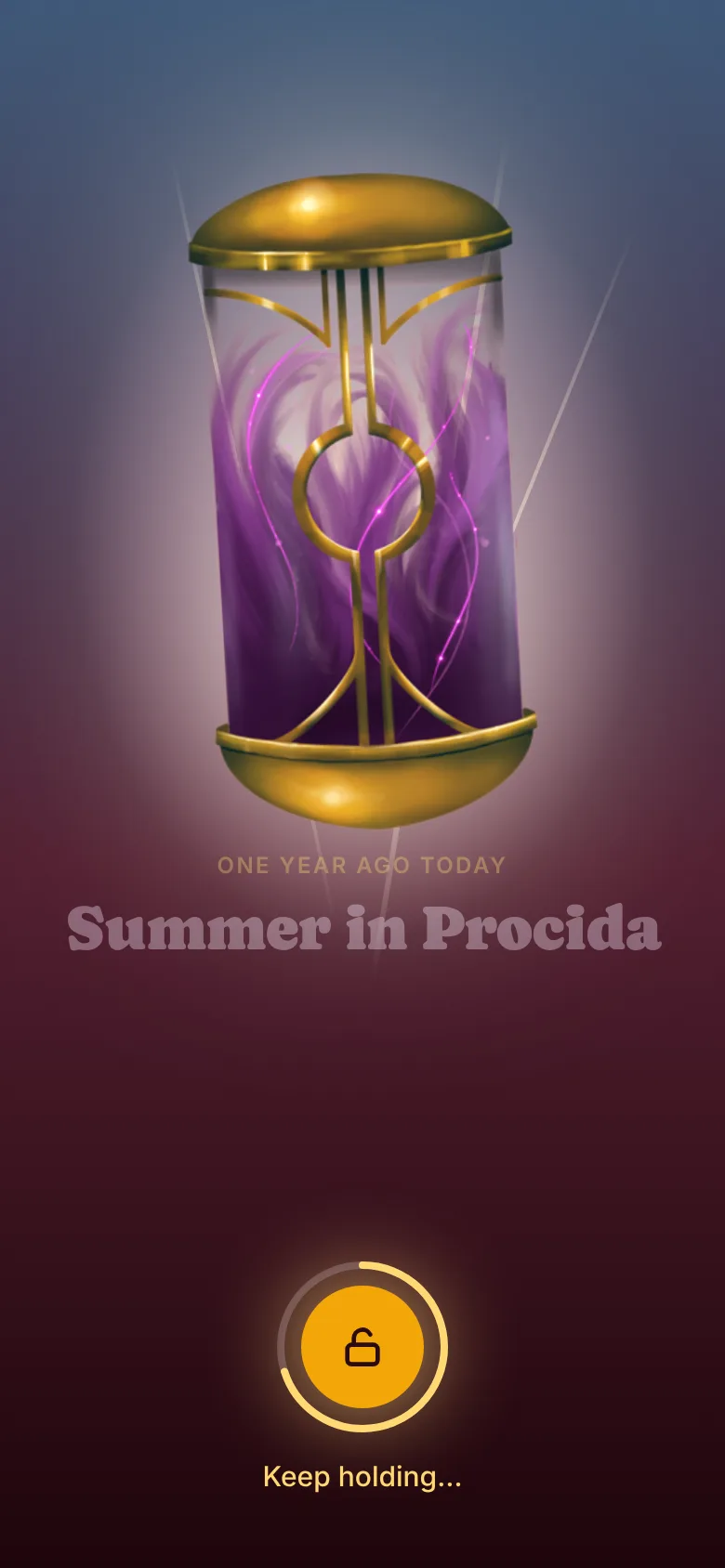
Hold to open
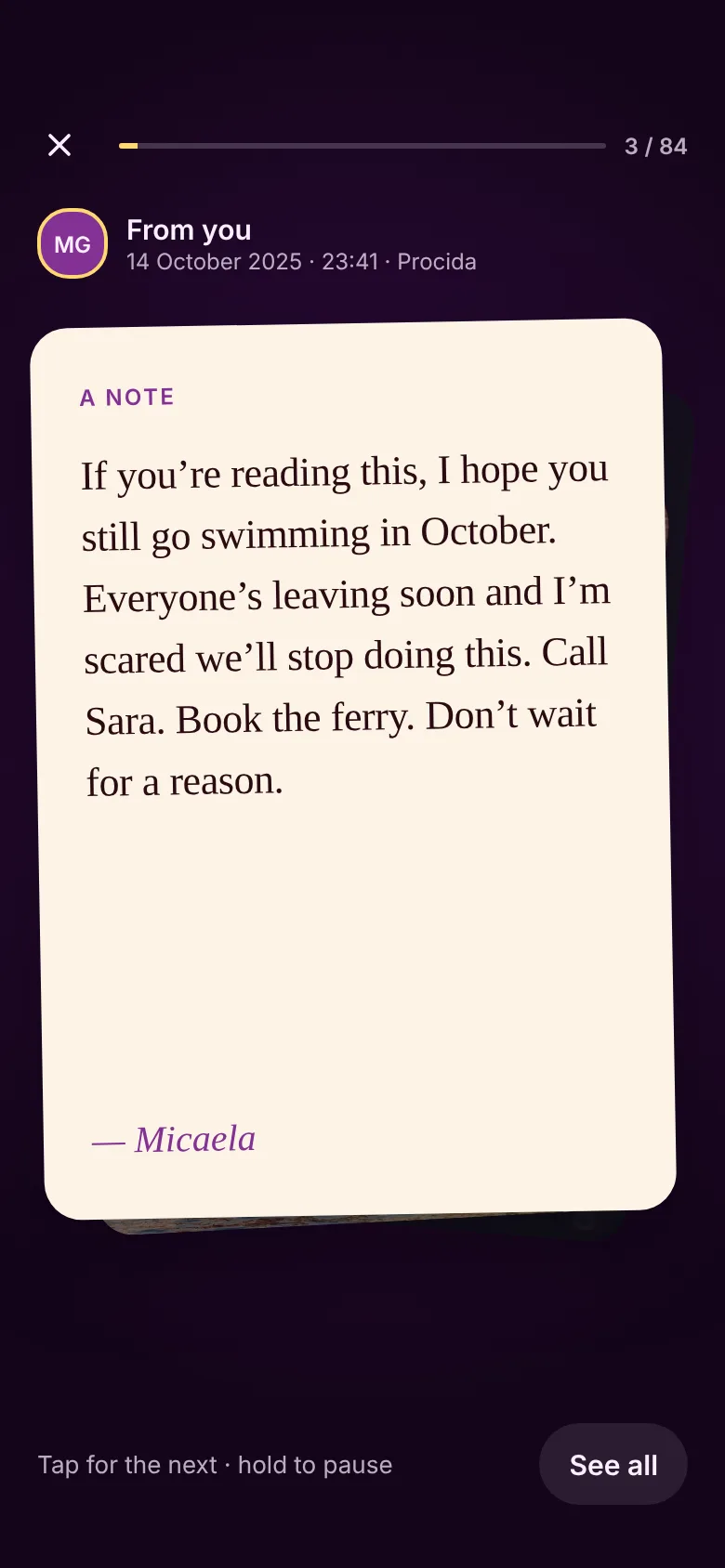
One memory at a time
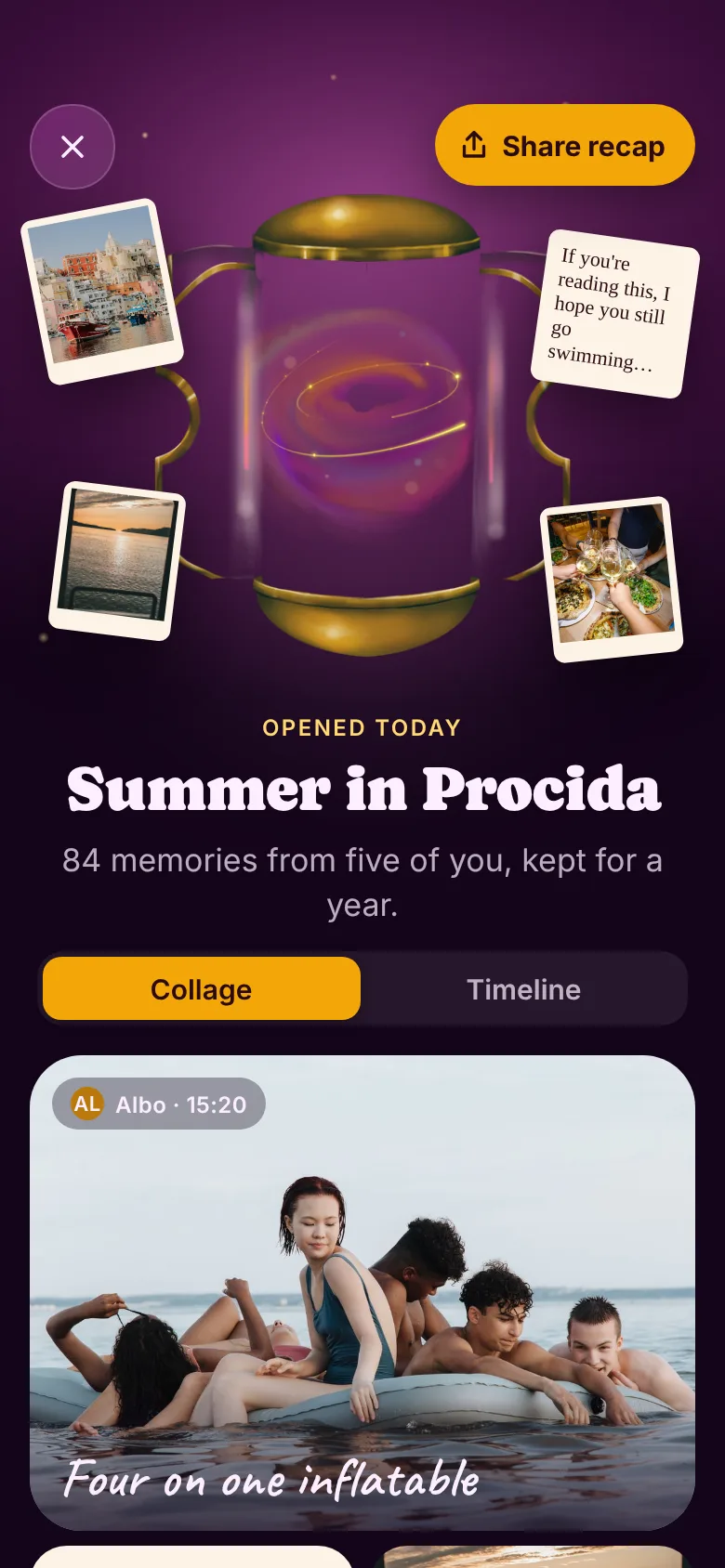
Afterwards · collage or timeline
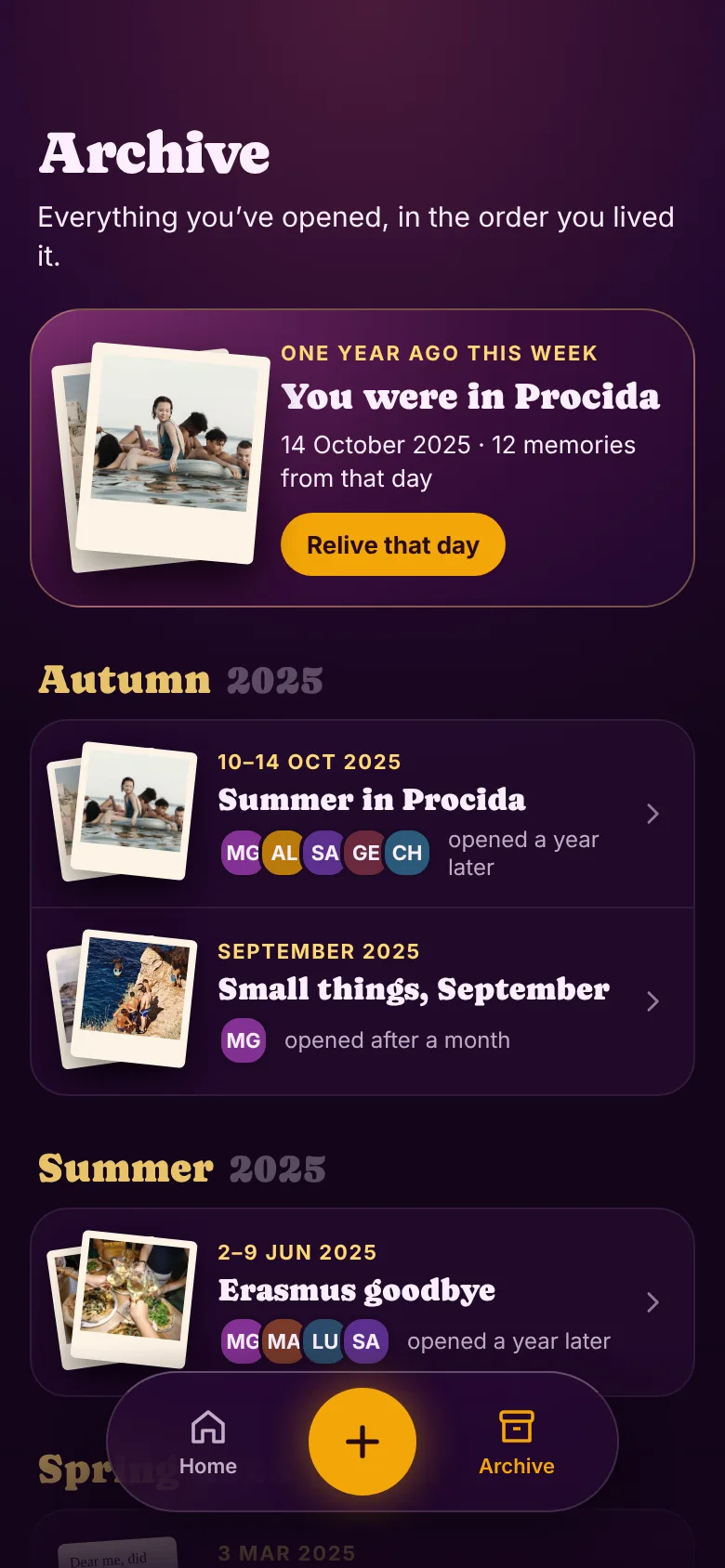
Archive · by season
Gifts and sharing, without spoilers.
A capsule can become a gift for someone who isn't in it, like eight friends filling one for a birthday. You can choose that when creating it, from the menu while collecting, or after sealing, and all three paths lead to the same gift state. The gift link is separate from the invite link: it can only wait and open, never add. If the recipient doesn't have Memorya, it opens an App Clip with the wrapped capsule and the countdown.
- Sharing works like a year-in-review: four templates (Cosmo, Paper, Night, Aura), one "Share this card" button, Instagram Stories first.
- Anyone in an opened capsule can share any memory, always with its author's name. Before opening, the only shareable card is a teaser that reveals nothing.
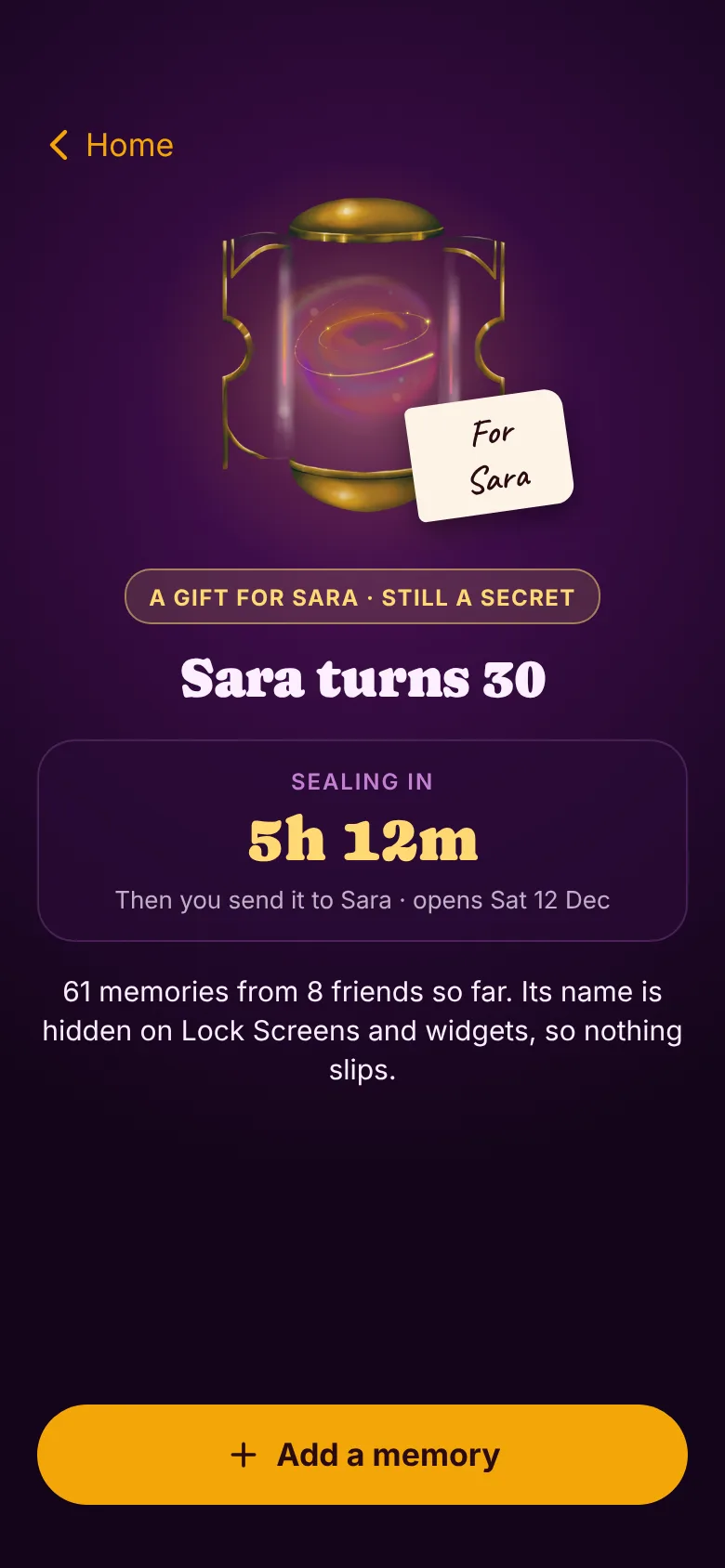
A gift, filling up
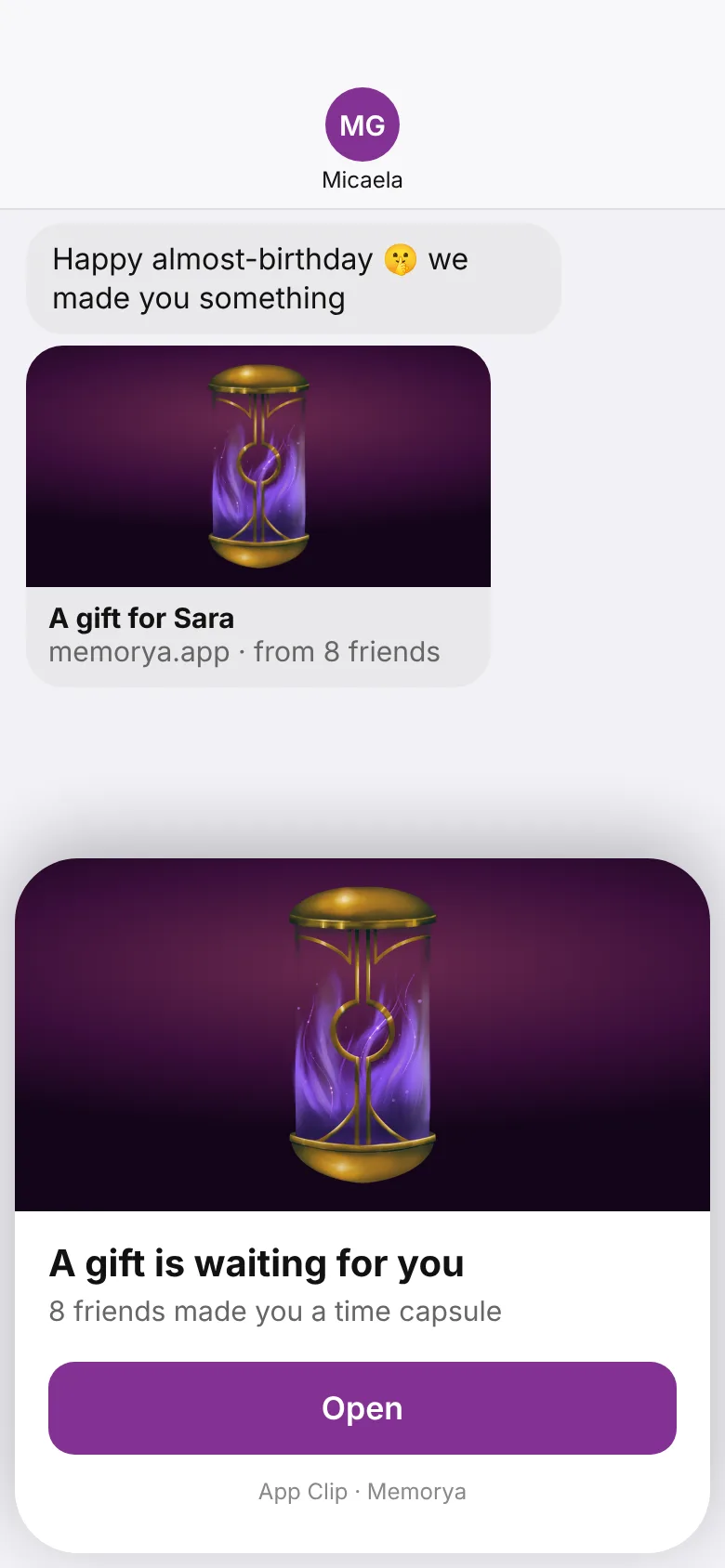
Gift link · App Clip
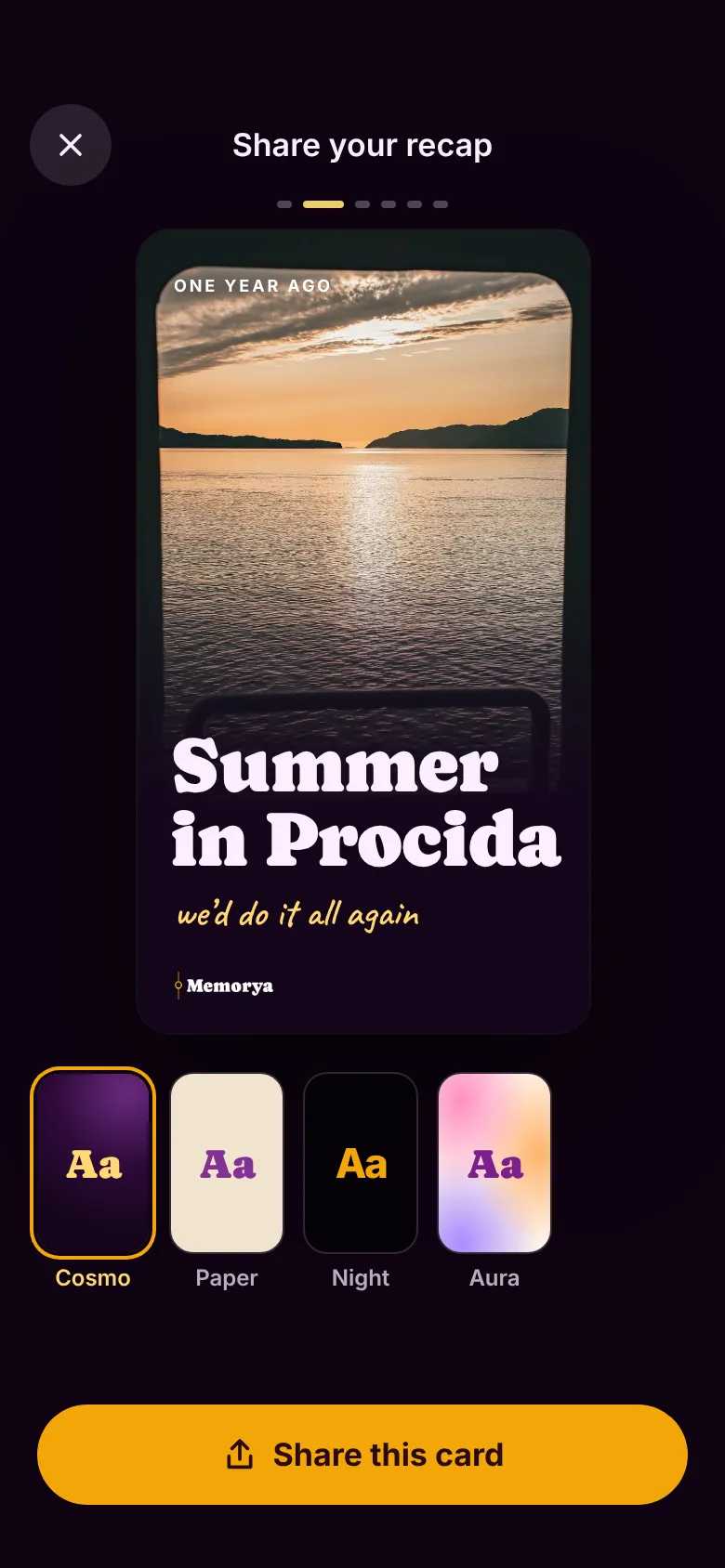
Share · Cosmo
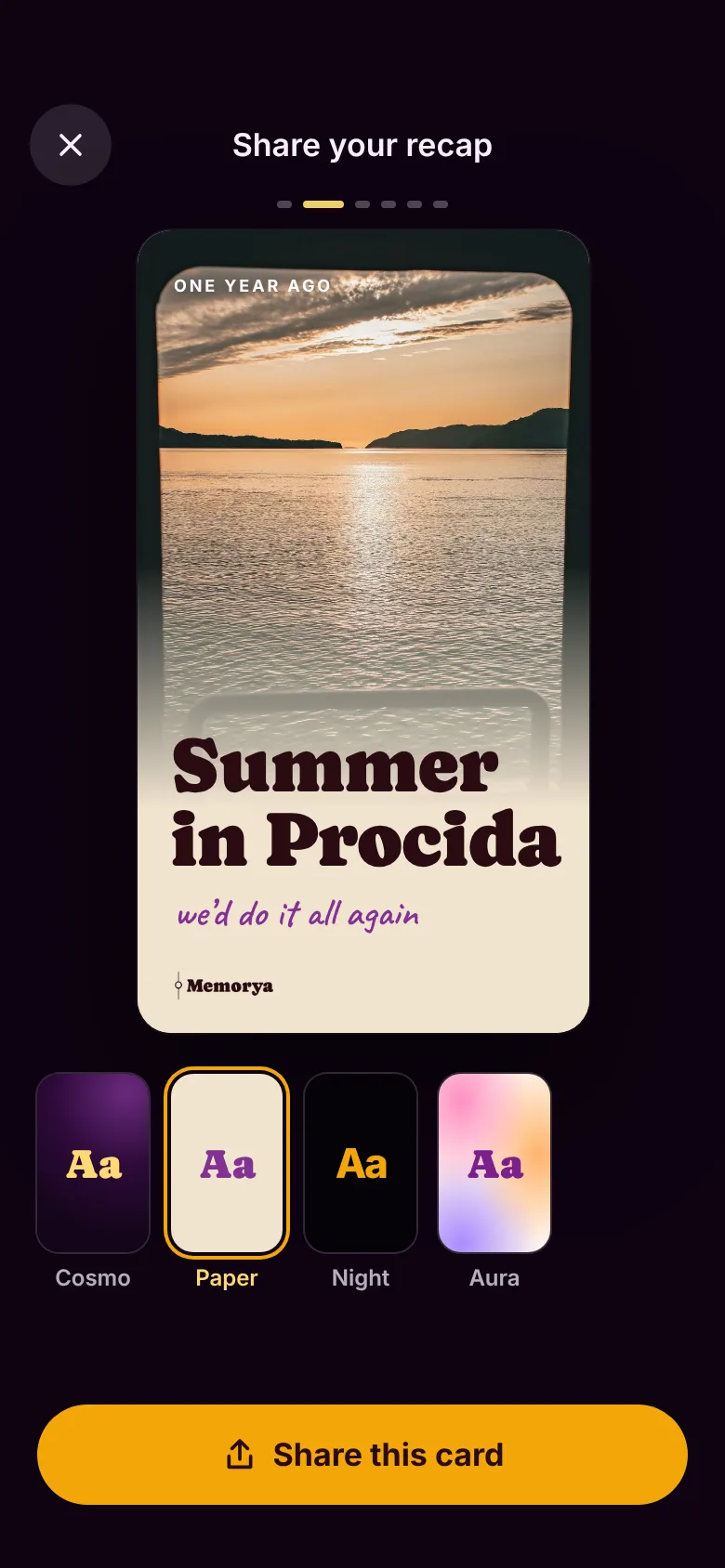
Share · Paper
HOW IT GOT BUILT
01
Interactive canvas
I designed every flow as clickable screens and reviewed them in play mode, then refined spacing, opacity and copy one screen at a time.
02
Critique and cleanup
I ran design reviews against Apple's interface guidelines and cleaned up the tokens: three text-opacity levels, Dynamic Type sizes, corner radii, and tap targets of at least 44 pt.
03
Handoff package
I put together a spec with the product rules and tokens, plus 130 screens at @2x grouped by flow, the source files, the assets, and a starting prompt for an AI coding agent.
04
Memorya 2.0 in SwiftUI
The app was rebuilt in SwiftUI from the handoff, with data migration from 1.0, 62 tests and a complete Italian localisation. I review builds and commit fixes myself.
DARK, WARM, HAND-MADE
Titles
Caprasimo
Capsule names, titles and big numbers. Never UI text.
Interface
Inter
Every control and label, with Dynamic Type.
Notes
New York
What people write inside a memory.
Captions
Caveat
Handwritten captions on photos.
LIKED THIS PROJECT?
LET'S TALK.
I'm open to UX/UI and product design roles. Write to me, or grab my CV.
micaelagiannetti94@gmail.com